The AI Job Hunt Cheat Code
100 Applications. Still Getting Ghosted?
Stop guessing your way through your job search.
The AI Job Hunt Cheat Code is a one-time AI job-search toolkit: practical prompts, résumé templates, recruiter messages, interview scripts, and a step-by-step plan.
$19 one-time. No subscription. Instant digital delivery after confirmed payment.
Results vary. This toolkit does not guarantee interviews, offers or employment.
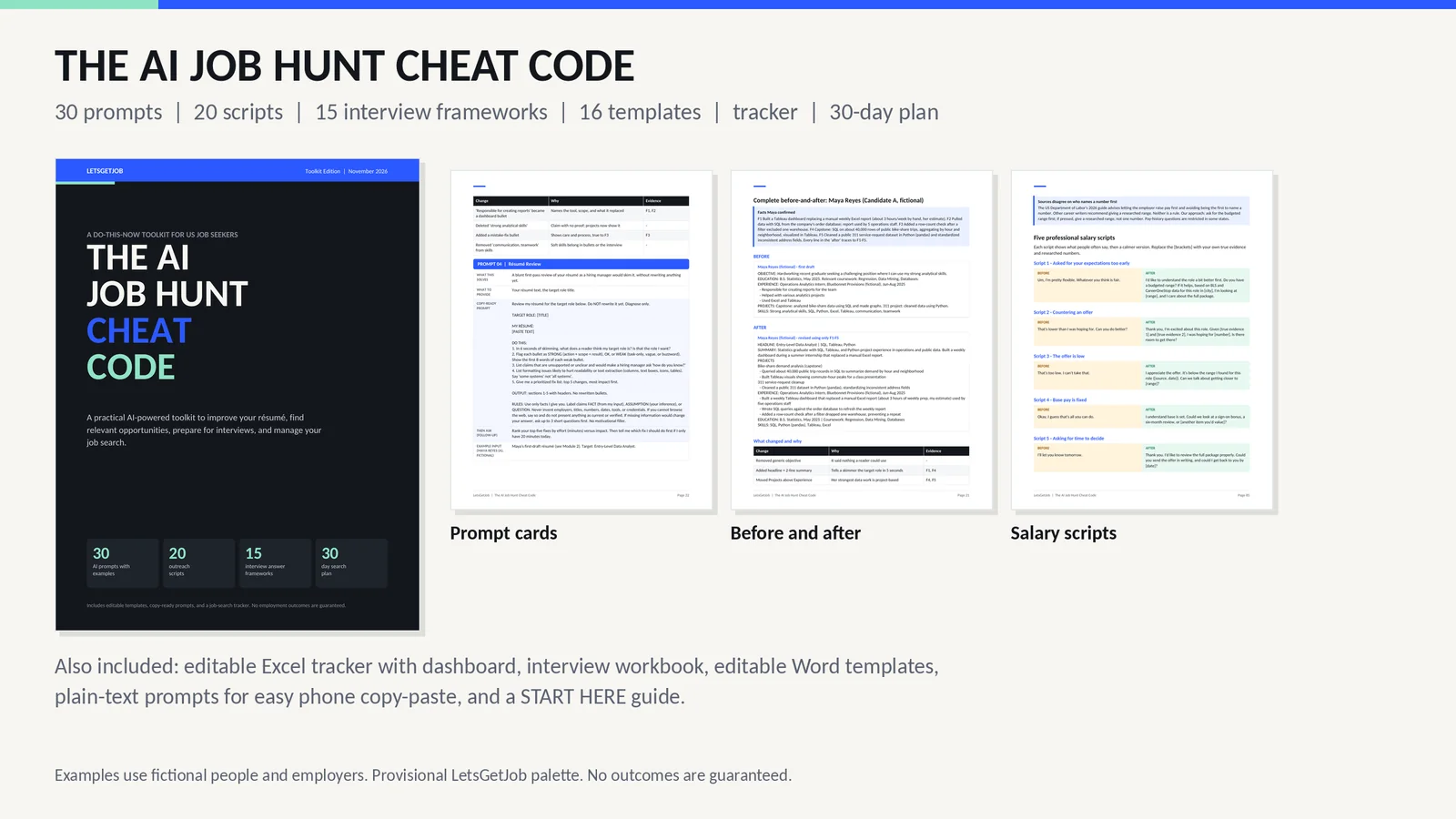
Real pages from the toolkit. Names and employers in examples are fictional.
The problem
Applying more isn’t always the answer.
01
You apply and hear nothing.
Not sure if it's the résumé, the job titles, or luck? Pick two or three targets from evidence, then track what actually happens.
In the toolkit: Module 1 + Prompts 1-3 + the Excel tracker
02
You can't describe your experience.
“Responsible for reports” says nothing. Turn what you really did into clear bullets, using only facts you can back up.
In the toolkit: Prompts 4-9 + the bullet builder + accuracy auditor
03
You freeze in interviews.
Practice one question at a time, then build answers that sound like you instead of a script.
In the toolkit: Mock interview prompt + 15-answer workbook
04
You don't know what to say to recruiters.
Short messages with an easy way to say no, so following up feels less awkward.
In the toolkit: 20 outreach scripts + follow-up prompts
What’s inside
Six tools. One system.
A 105-page guide ties the prompts, scripts, workbook, plan and tracker together, with 16 editable templates and a START HERE page so you know what to open first. One prompt is free to read: the résumé review that diagnoses a draft before anything is rewritten.
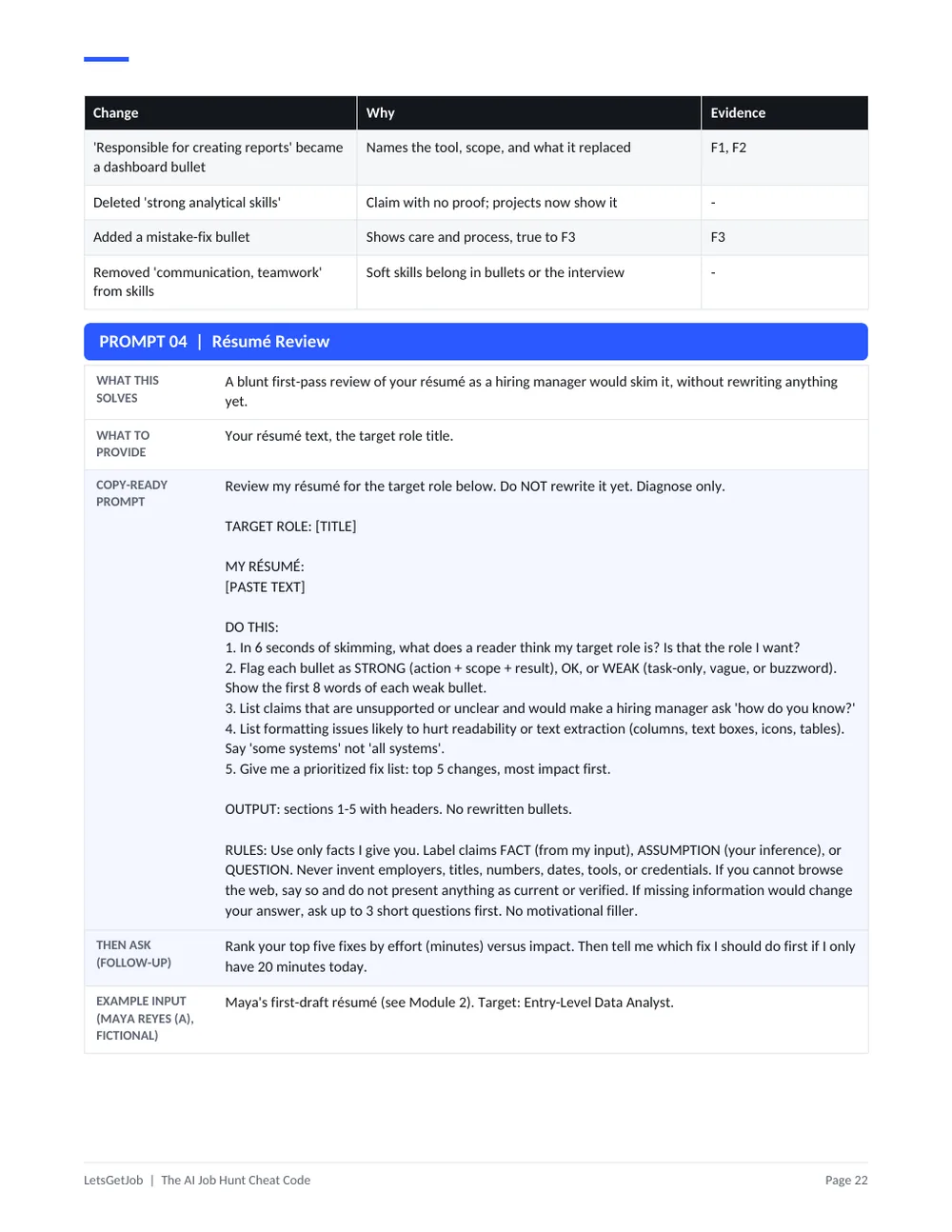
30 AI job-search prompts
Copy-ready prompts for ChatGPT, Claude, Gemini and similar assistants. Each interviews you first and labels facts versus assumptions.
Use it to: Rewrite a résumé bullet using only what you can prove.
Benefit: Stop AI from inventing experience.
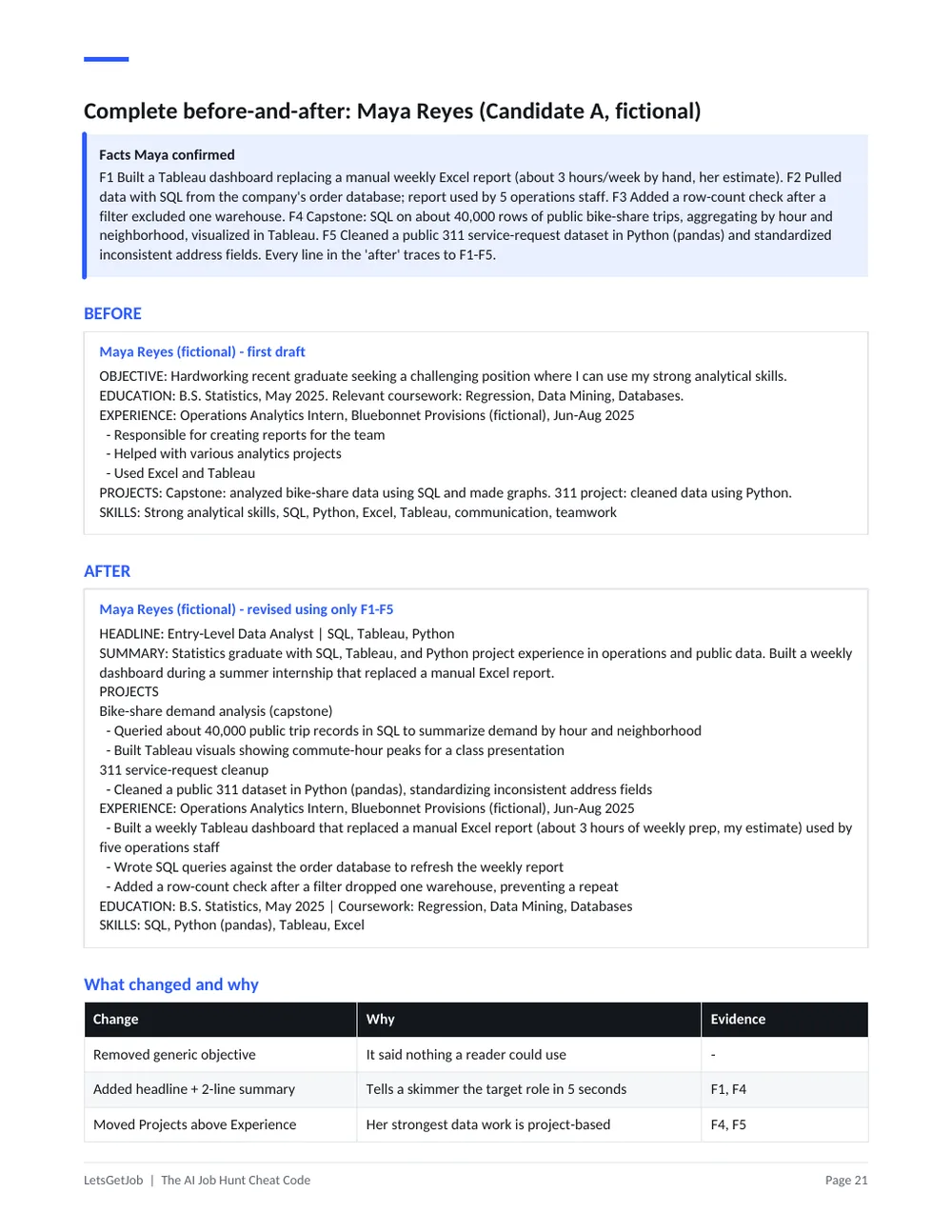
Résumé and LinkedIn tools
A master-résumé template, bullet builder, tailoring and accuracy-audit prompts, plus headline and About-section help.
Use it to: Turn “Responsible for creating reports” into a specific, truthful bullet.
Benefit: A clearer story, in your words.
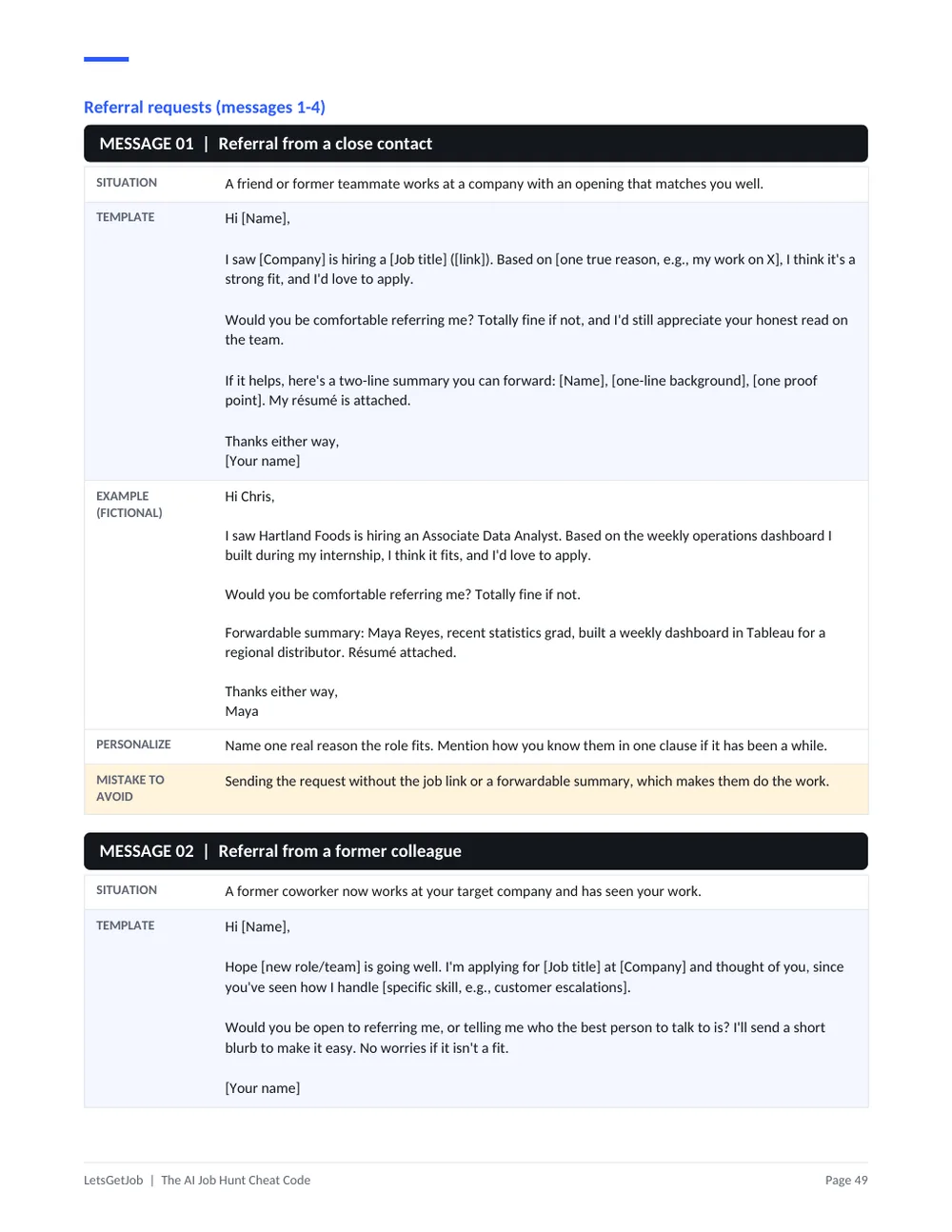
20 recruiter outreach scripts
Referral requests, recruiter and hiring-manager notes, follow-ups, networking and thank-yous, each with an example.
Use it to: Ask a former colleague for a referral without pressure.
Benefit: Know what to send, and when to stop.
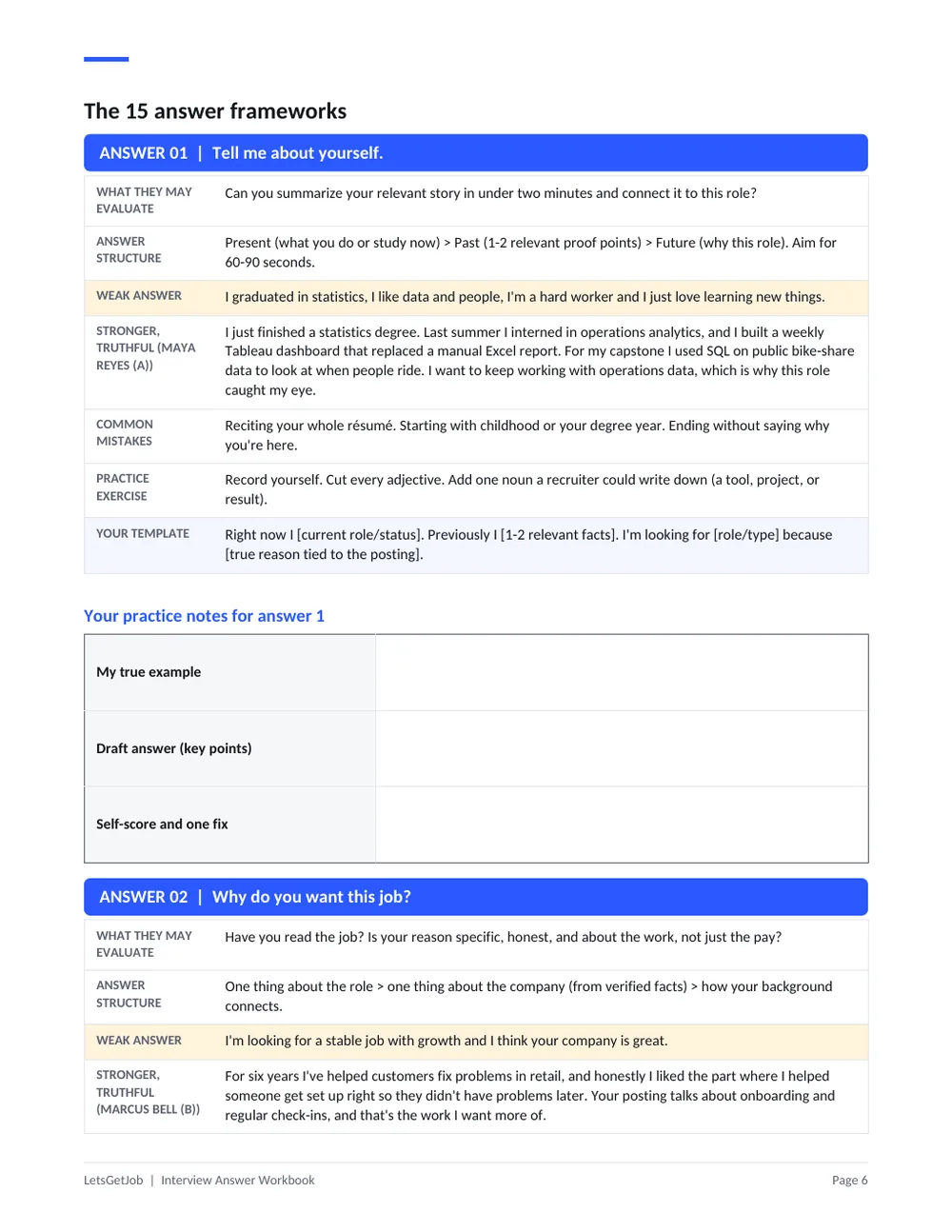
Interview preparation workbook
15 common questions with what interviewers look for, a weak answer, a stronger truthful one, mistakes and a practice exercise.
Use it to: Build your answer to “Tell me about yourself.”
Benefit: Practice, not memorization.
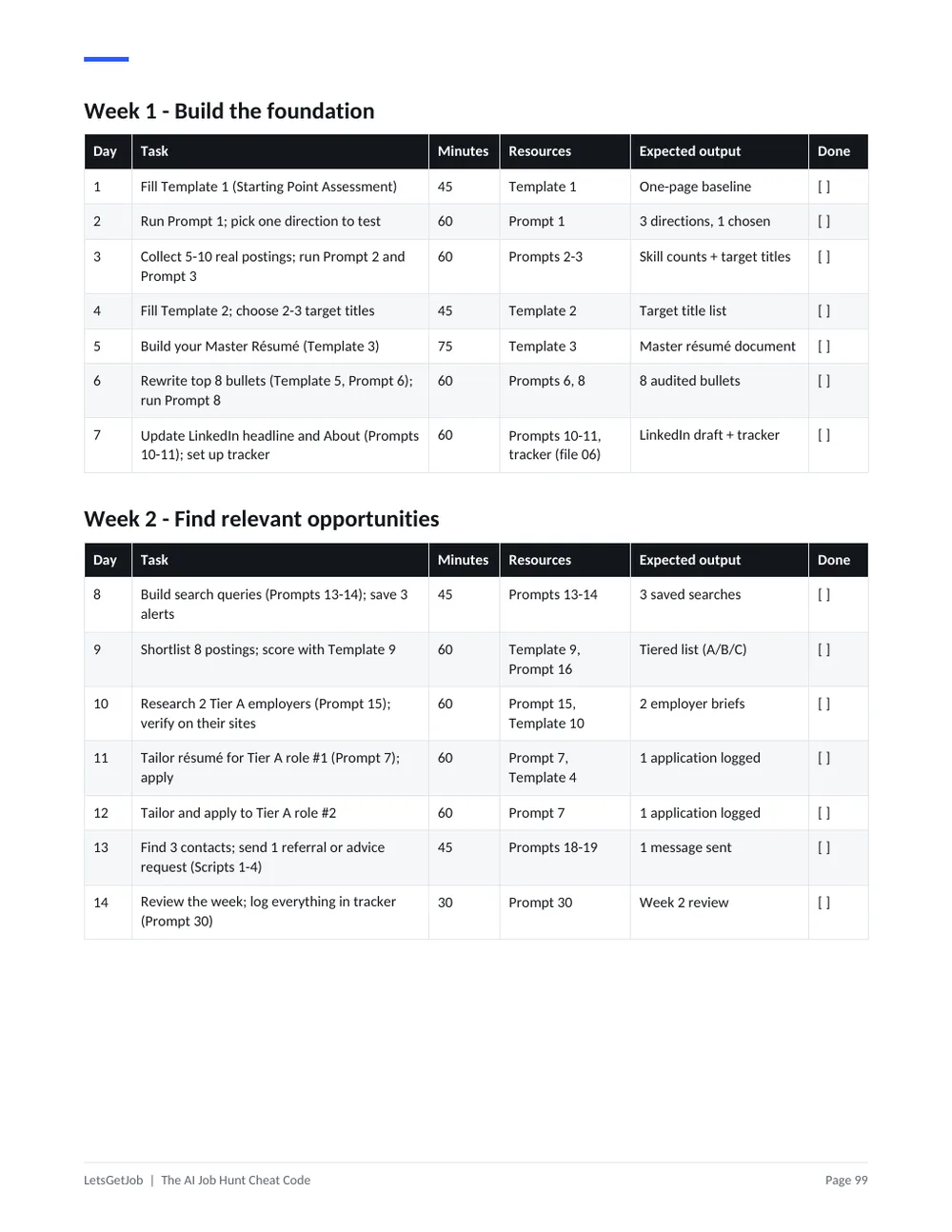
30-day job search plan
One task per day with time estimates, plus 30, 60 and 120 minute versions for busy weeks.
Use it to: Open it each morning and do today's task.
Benefit: Always know what's next.
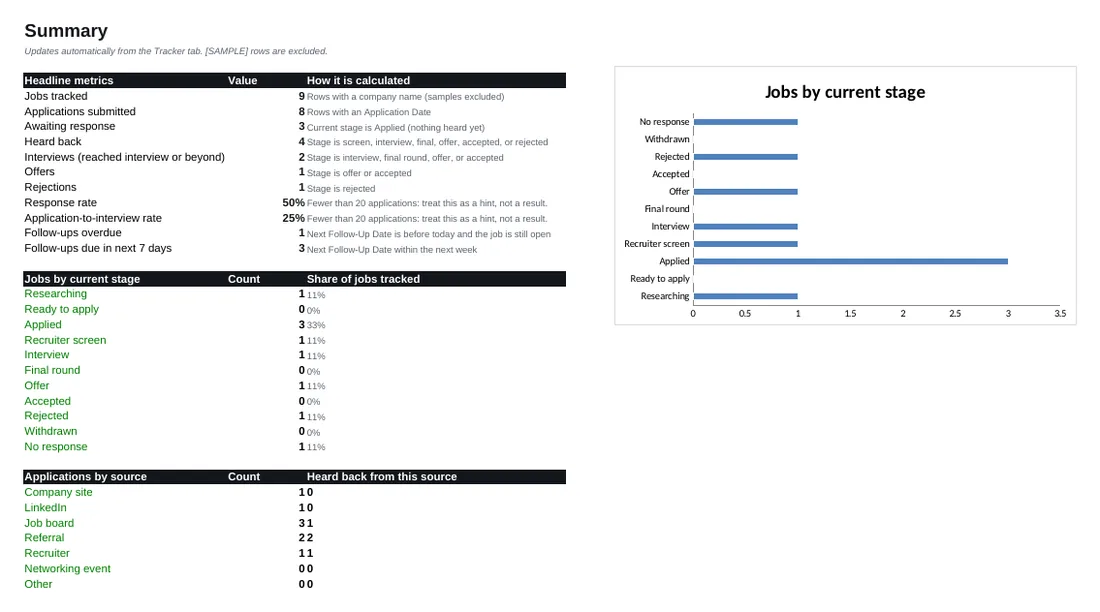
Editable application tracker
Excel workbook with dropdowns, follow-up reminders, a dashboard and a weekly view. Sample rows are marked and excluded from totals.
Use it to: See how many applications became conversations.
Benefit: Spot what's working with real numbers.
Real product preview
Look inside before you buy.
Eight selected pages from the actual files. Tap a page to enlarge it.
Before vs. after
Less guesswork. Better preparation.
Illustrative examples taken from the guide, using fictional people. They show the style of rewrite, not results you should expect.
Résumé bullet · Maya, new graduate
Before
“Responsible for creating reports for the team”
After
“Built a weekly Tableau dashboard that replaced a manual Excel report used by five operations staff”
Message to a contact · Marcus, career switcher
Before
“Hi, I'm looking for any customer success jobs, please let me know if you have anything!!!”
After
“Hi Jess, I'm moving from retail operations into customer success. Could I ask you two questions about how your team onboards customers? Ten minutes whenever suits you.”
Interview answer · Maya, new graduate
Before
“I graduated in statistics, I like data and people, I'm a hard worker and I just love learning new things.”
After
“I just finished a statistics degree. Last summer I interned in operations analytics and built a weekly Tableau dashboard that replaced a manual Excel report. I want to keep working with operations data, which is why this role caught my eye.”
How it works
How to use the toolkit.
Step 1
Get the Toolkit
Purchase the complete toolkit for $19.
Step 2
Open Your Resources
Access the main PDF, templates, prompts and worksheets.
Step 3
Put Them to Work
Choose your target role, improve your documents, practice interviews and track applications.
Who this is for
- Recent graduates
- Early-career professionals
- Career switchers
- Professionals returning to work
- Job seekers who want structured AI assistance
Who this is not for
- People expecting guaranteed job placement
- People unwilling to personalize their materials
- People looking for a recruiter to apply on their behalf
It’s a toolkit you use yourself. You review everything and decide what to send.
One toolkit, one price
The AI Job Hunt Cheat Code
$19one-time purchase
- 105-page main guide (PDF)
- 30 AI job-search prompts (PDF, plain text, Word)
- 20 recruiter and referral scripts (PDF, plain text, Word)
- Interview answer workbook: 15 questions (PDF)
- 30-day job search plan (PDF)
- Editable Excel application tracker
- 16 editable templates (Word)
- START HERE guide, plus a free 10-prompt sampler
- No subscription
- Digital delivery after payment is confirmed
- Refund only before download
- Secure payment by Stripe
Payment methods shown at checkout (such as cards and digital wallets) depend on your device, location and the seller’s Stripe settings.
FAQ
Questions, answered.
Is this a subscription?
What files will I receive?
Can I use the prompts with ChatGPT or Claude?
Does this guarantee interviews?
Can I open the toolkit on my phone?
Are the templates editable?
How do downloads work?
What happens if I lose my download email?
What is the refund policy?
Your next application deserves a better plan.
One-time $19. Results vary.